A handy hub for saving online videos
VDownloader, developed by VDownloader, is a video downloader built for users who want a simple way to save online clips for offline viewing. Its main appeal comes from a user-friendly interface that lets users start downloads by pasting a video link, without much setup or guesswork. The software also supports multiple output formats, batch downloads, and built-in video conversion, which makes it a practical option for building an offline media library. Its straightforward workflow is a clear strength, although some advanced features sit behind a premium tier.
Top Recommended Alternative

Copy, paste, and keep it moving
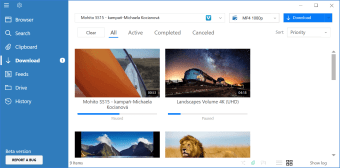
VDownloader focuses on making the video downloading process easy to understand. Users can paste a URL and quickly begin downloading, which keeps the experience approachable for casual use. The software also supports batch downloading, so several videos can be processed at once, and that adds real convenience for larger download queues. Built-in format conversion is another advantage, since users can save videos in different file types without turning to a separate tool. The result is a flexible downloader that covers both convenience and format variety well.
More than a downloader, less than a mystery box
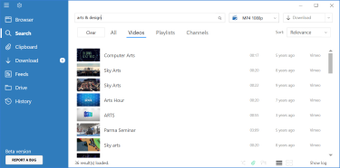
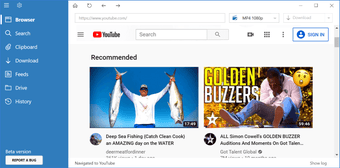
The software goes beyond basic link grabbing by supporting downloads from a wide range of video platforms and offering options for different resolutions. Features such as playlist downloads and format flexibility give it more depth than a barebones downloader. That said, support can vary over time depending on changes made by video sites, so broad compatibility is useful but not always perfectly consistent. System requirement details and accessibility information also remain less prominent than the core feature set, which leaves a few practical questions unanswered.
Free to start, with a few strings attached
VDownloader is available as free software, and that entry point makes it easy to try. At the same time, the product also has a premium side, so the full experience is not as open-ended as the free label first suggests. That split is not unusual for this category, but it is still worth noting as a limitation for users expecting every feature without restrictions. Even so, the clean interface, batch processing, and integrated conversion tools give the software solid everyday usefulness for offline video management.
A solid downloader with sensible extras
VDownloader works best as a straightforward video downloader and converter for users who value ease of use over complexity. Its biggest advantages are its simple paste-and-download workflow, broad format support, and the convenience of handling multiple files at once. On the other hand, premium feature limits and changing site compatibility can affect the experience. Even with those trade-offs, it remains a capable choice for users who want a practical tool for downloading and converting online videos.